The Real Cost to Keep an App Running After Launch (and How to Budget for It)
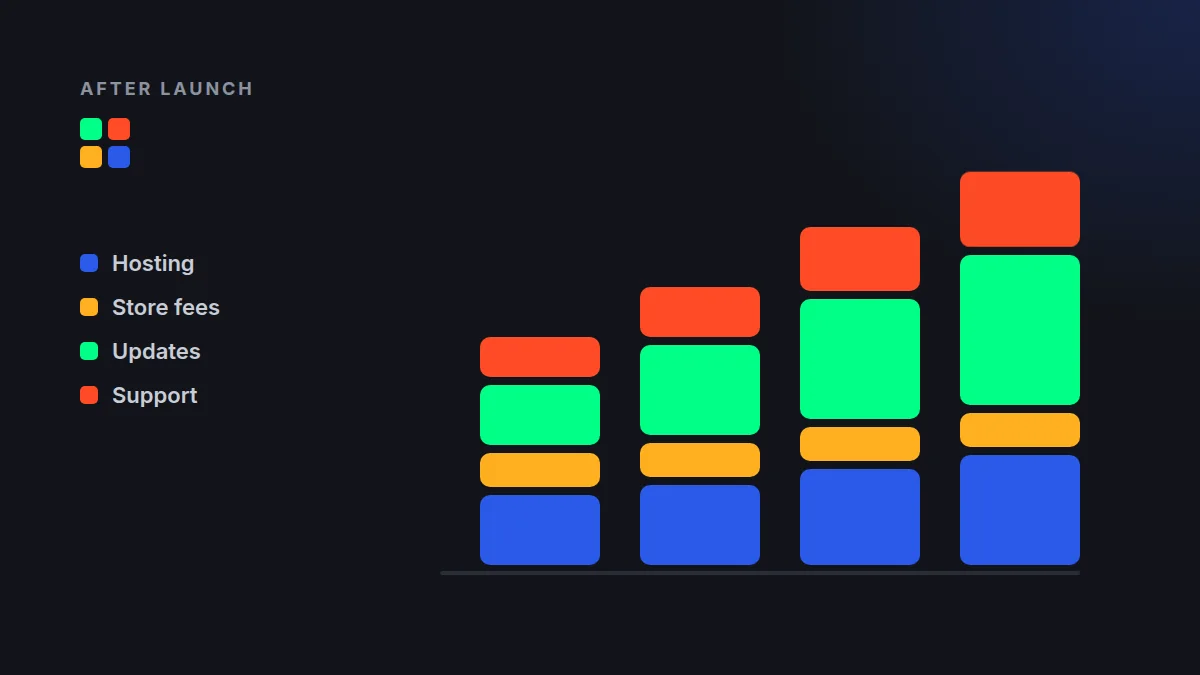
Most founders budget carefully for the build, then get surprised by the bill that shows up every month afterward. The cost to keep an app running after launch commonly lands around 15-20% of the original build cost, per year. A $100,000 app can easily need $15,000-$20,000 annually just to stay healthy.
Here is where that money goes, in plain language, so you can plan for it before it surprises you.
The Short Answer: What the Cost to Keep an App Running Looks Like
Four buckets make up almost every post-launch budget:
- Hosting and infrastructure: the servers and databases your app lives on.
- App store fees: developer accounts and commissions.
- Updates: keeping pace with new phones, operating systems, and security patches.
- Maintenance and support: fixing bugs, monitoring, and helping users.
An app is not a product you finish. It is a service you operate.
Do this now: take your build quote and multiply it by 0.15 and 0.20. That range is your starting annual budget.
Hosting and Infrastructure
Every app with accounts, data, or syncing needs a backend. Small apps may run on $20-$100 a month. Apps with thousands of active users, heavy media, or real-time features can reach several hundred or several thousand dollars monthly.
Cloud pricing is usage-based, which means your bill grows when your app succeeds. That is good news, but only if you planned for it.
- Ask your developer for a cost estimate at 1x, 10x, and 100x your expected users.
- Set billing alerts so a traffic spike never becomes a surprise invoice.
App Store Fees
These are the most predictable costs, so there is no excuse for missing them. Apple charges $99 per year for a developer account. Google charges a one-time $25 registration fee.
The bigger number is commission. If you sell digital goods or subscriptions inside your app, Apple and Google typically take 15-30%, depending on your revenue and program eligibility. Check current terms, because they change.
Do this now: model your pricing after store commission, not before. A $10 subscription may net you $7 to $8.50.
Updates: The Cost Nobody Sees Coming
Apple and Google release major operating system updates every year. Each one can break features, change design requirements, or deprecate tools your app depends on. Skip updates, and eventually the stores may remove your app or users will leave over crashes.
Plan for at least one meaningful compatibility update per year, plus smaller security patches. Libraries and frameworks inside your app also age, and outdated ones become security risks.
- Reserve a block of developer hours each quarter for upgrades.
- Test on new OS betas in the summer, before public release.
Maintenance, Monitoring, and Support
Bugs will appear after launch, because real users behave differently than test scripts. Maintenance covers fixing those bugs, monitoring crashes and performance, and keeping backups running.
Many teams spend 10-20 developer hours a month on this for a moderately complex app. You can handle it through a retainer, a support plan, or an in-house hire. Whichever you choose, someone must own it.
Customer support belongs here too. Even a small user base sends questions, and slow replies hurt your ratings.
Do this now: decide who gets the alert when your app crashes at 2 a.m. If the answer is "nobody," you have a gap.
The Hidden Line Items
Third-party services quietly add up. Think push notifications, email delivery, payment processing, analytics, maps, and authentication. Many have free tiers that disappear as you grow.
- Payment processing: typically around 2.9% plus 30 cents per transaction.
- Maps and location: often billed per request.
- SMS and email: billed per message sent.
- Domains, SSL, and monitoring tools: small, but recurring.
List every external service your app uses and note its pricing at your target scale. That one-page audit prevents most budget surprises.
How to Build Your Post-Launch Budget
- Start with 15-20% of your build cost as the annual baseline.
- Add your store fees and expected commission.
- Price hosting and third-party services at your growth target.
- Set aside a 10-15% contingency for urgent fixes and surprises.
- Review quarterly and adjust as real usage data arrives.
A realistic budget does not mean a bigger one. It means you never have to choose between paying for upkeep and keeping your users.
Plan the Cost to Keep Your App Running Before You Build
The best time to understand your ongoing costs is before the first line of code is written. Architecture decisions made during the build can cut your hosting and maintenance bills by a large margin.
At MashData Solutions, we help teams plan the full lifecycle of an app, not just the launch. Explore our services or contact us for a clear, itemized estimate of your build and your first year of upkeep.